Interior design studio for iPhone
Redesign your own room, one version at a time.
Take a photo of a room you already live in, pick one of 12 interior styles and fine-tune walls, floor, furniture and lighting. RoomGlow restyles the room while asking the AI to keep its walls, windows, doors and furniture layout, then saves every design on the room's timeline with its color palette and materials.
Coming soon to the App Store
iPhone · iOS 17 or later
- 12 interior styles
- Keeps walls, windows and layout
- A timeline for every room
- Palette & materials
- 5-question style quiz
- 9 languages
- No ads
How it works
No floor plans, no measuring and no 3D modeling. One photo of the room is enough.
Add a room
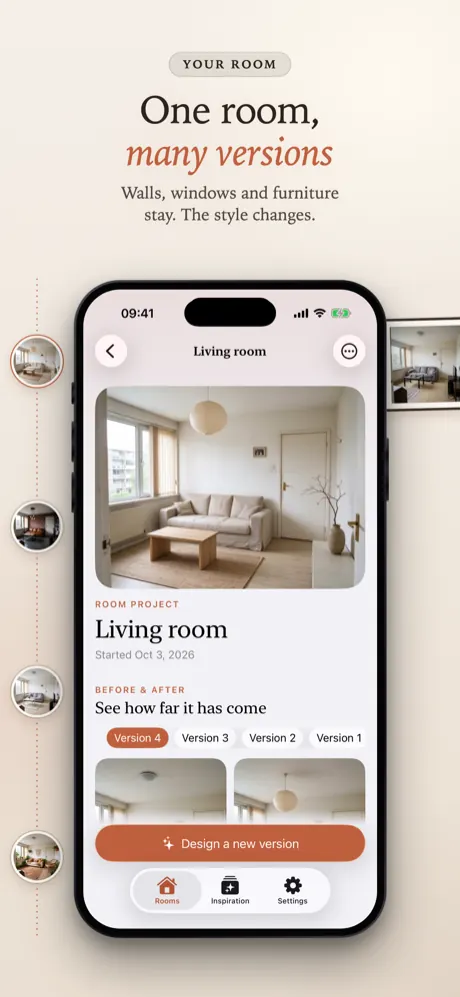
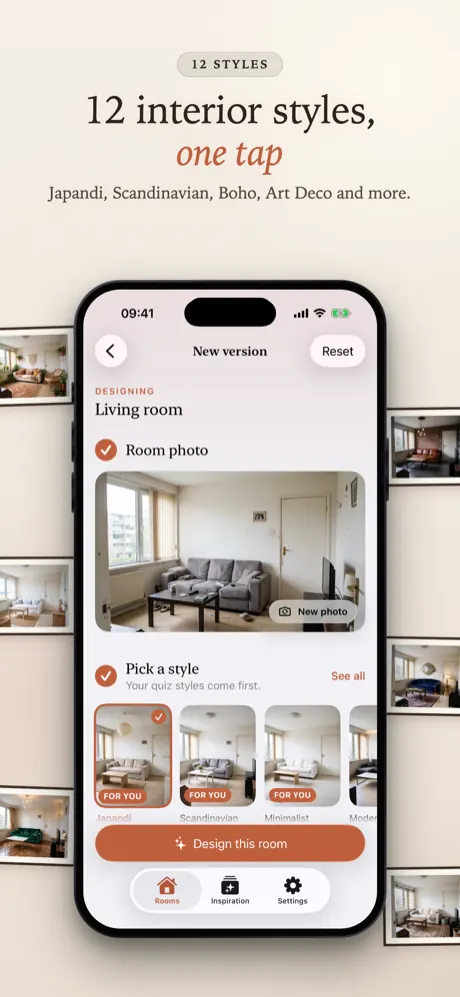
Create a room, choose its type (living room, bedroom, kitchen and more) and take or pick a photo of it.
Pick a style
Choose one of 12 interior styles. If you took the style quiz, your styles come first.
Fine-tune it
Optionally add items, revise furniture, or change the walls, the floor and the lighting.
Compare and keep it
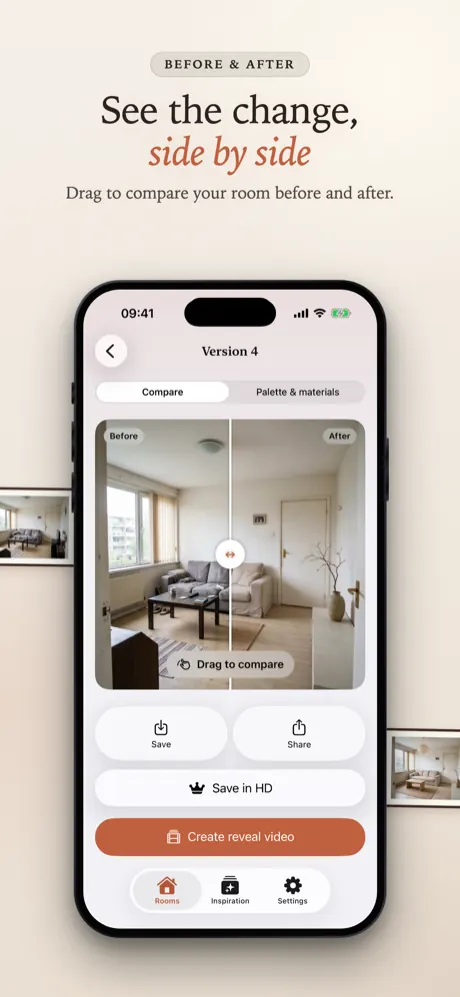
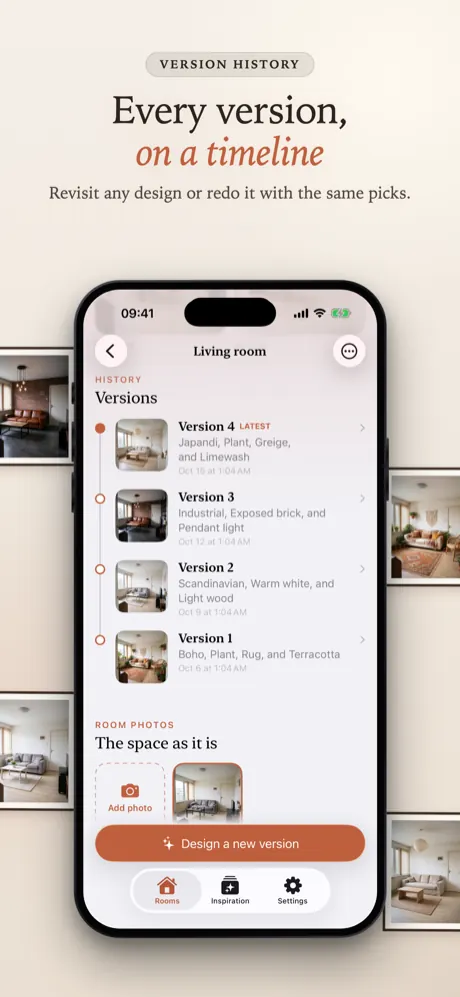
Drag the slider to see before and after. Every design is saved as a dated version of that room.
The same room, three ways
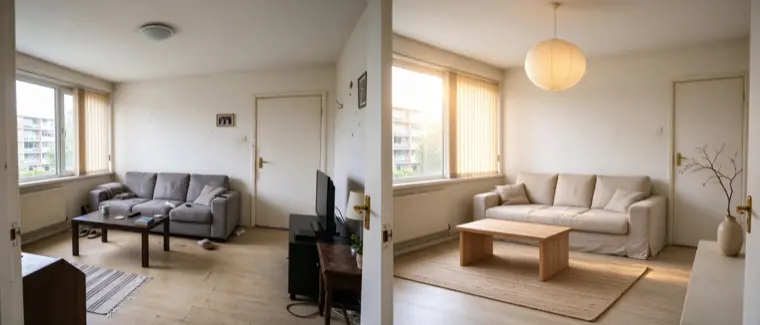
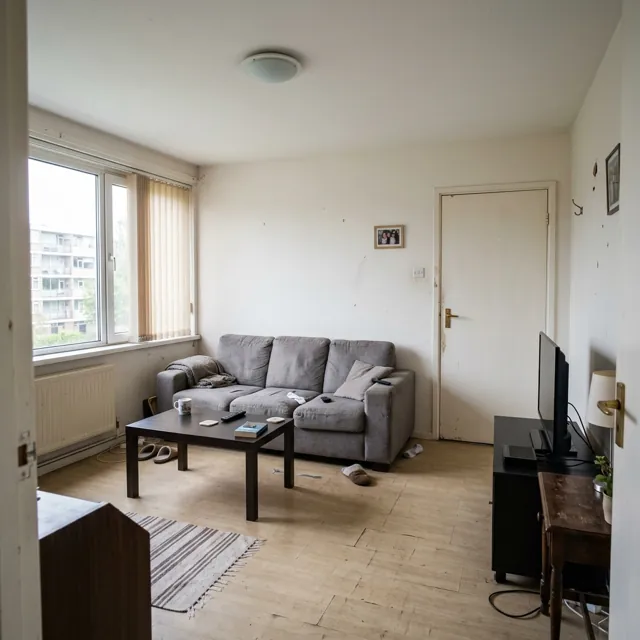
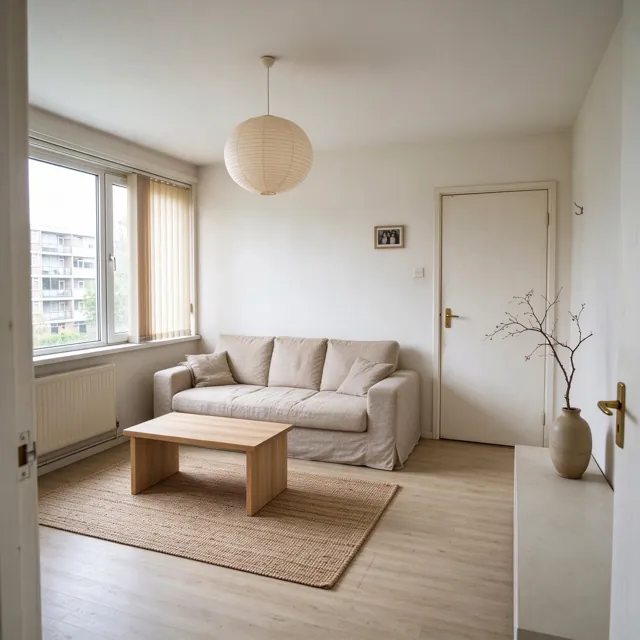
These designs all started from the photo on the left. The style changes the finishes, colors and fabrics; the room itself stays recognizable.
The original photo
An ordinary living room: grey sofa, dark coffee table, bare walls.
Japandi
Light oak, beige linen and a paper pendant; the window, door and sofa stay where they were.
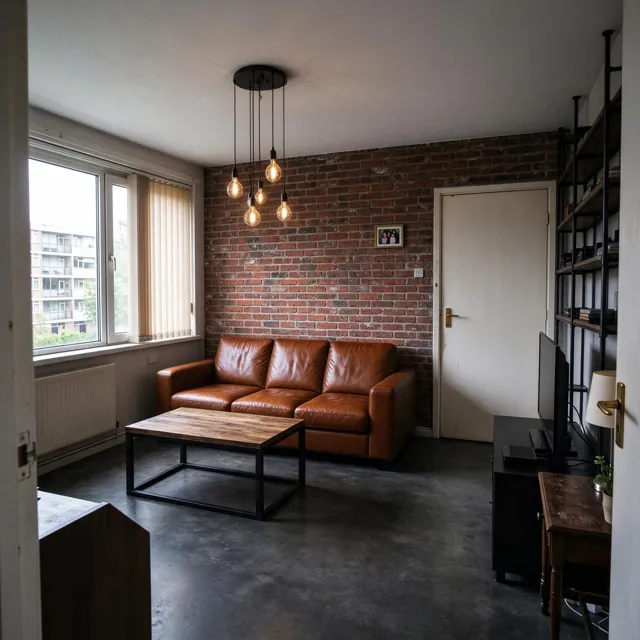
Industrial
Exposed brick, cognac leather and black steel, in the same room and from the same angle.
12 interior styles
Each style is a single tap. The descriptions below are what the style asks for.
Japandi
Light oak, warm beige linen, muted earth tones, ceramics and clean surfaces.
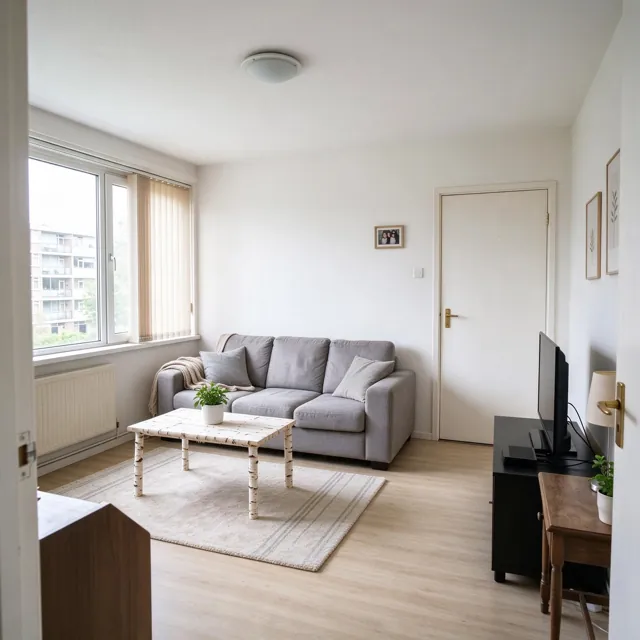
Scandinavian
Bright white walls, blond wood, grey and white knits, a few plants.
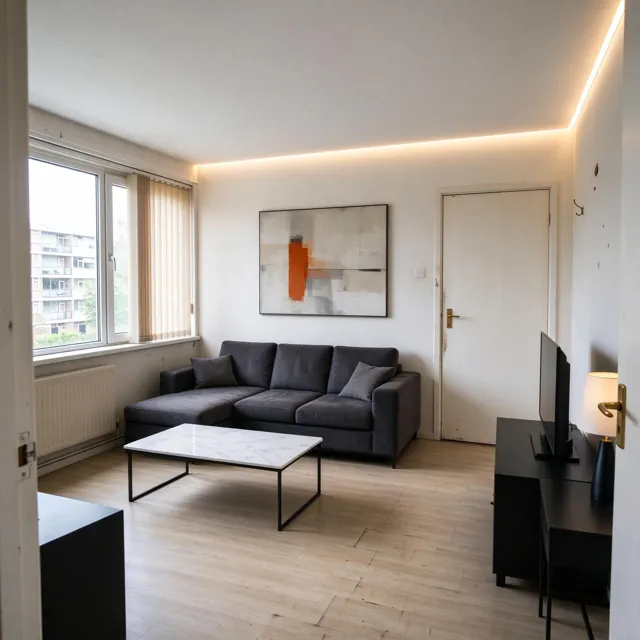
Modern
Charcoal fabrics, matte black and marble accents, warm indirect light.
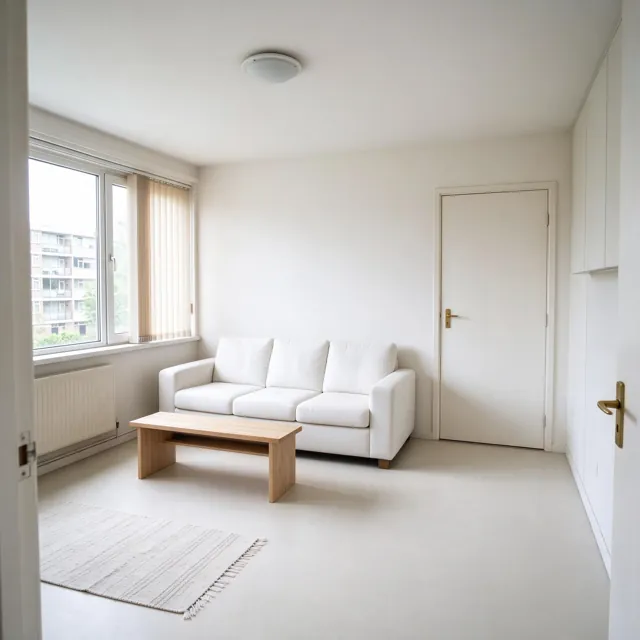
Minimalist
Warm white walls, plain light fabrics, pale wood and calm empty space.
Industrial
Exposed brick, cognac leather, reclaimed wood, black steel, Edison bulbs.
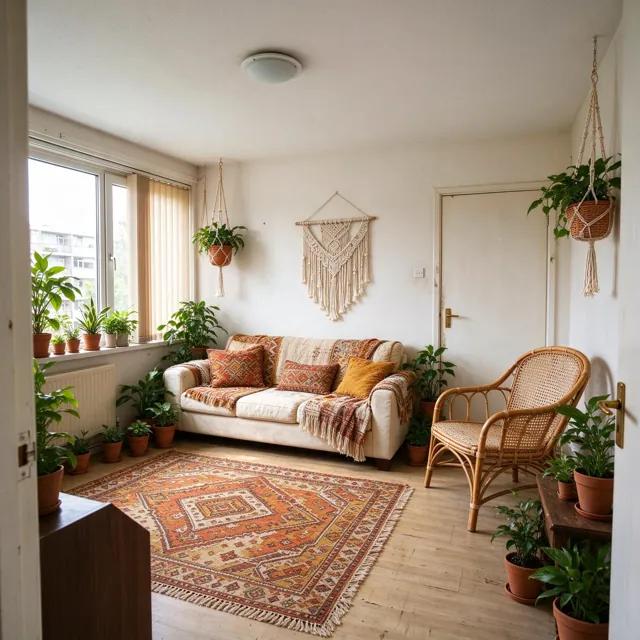
Boho
Rattan, layered patterned cushions, a kilim rug, macramé and plants.
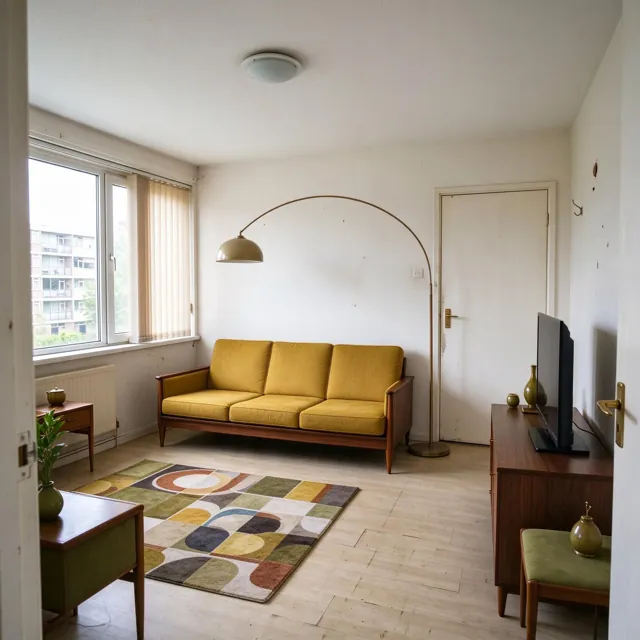
Mid-Century
Walnut and teak, mustard and olive upholstery, tapered legs, retro accents.
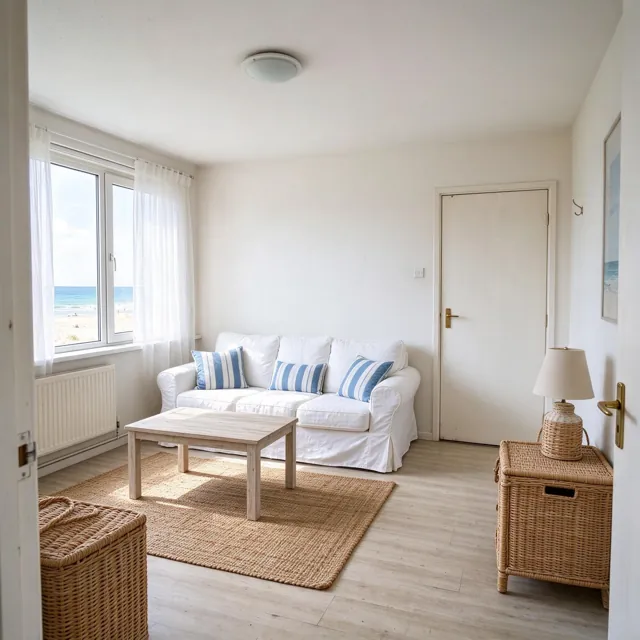
Coastal
White and soft blue, striped cushions, washed wood, jute and rattan.
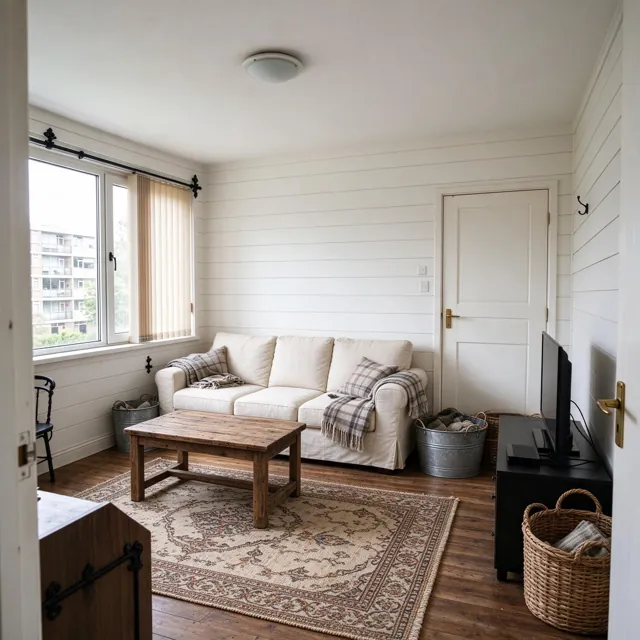
Farmhouse
White shiplap, reclaimed wood, plaid throws, black iron and wicker.
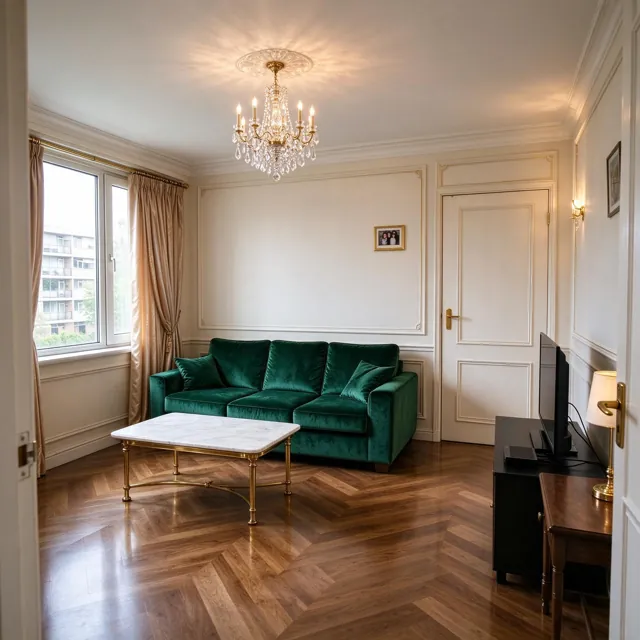
Luxury
Emerald velvet, marble and brass, a crystal chandelier, wall moldings.
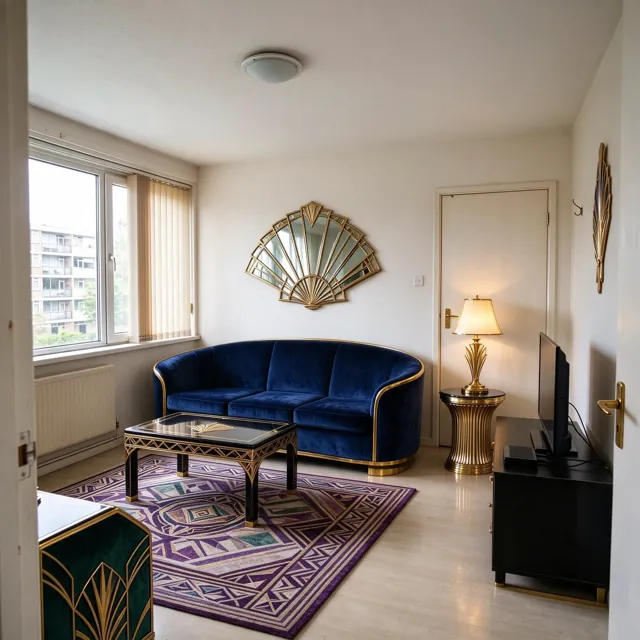
Art Deco
Navy velvet, bold geometric patterns, brass and black lacquer, gold details.
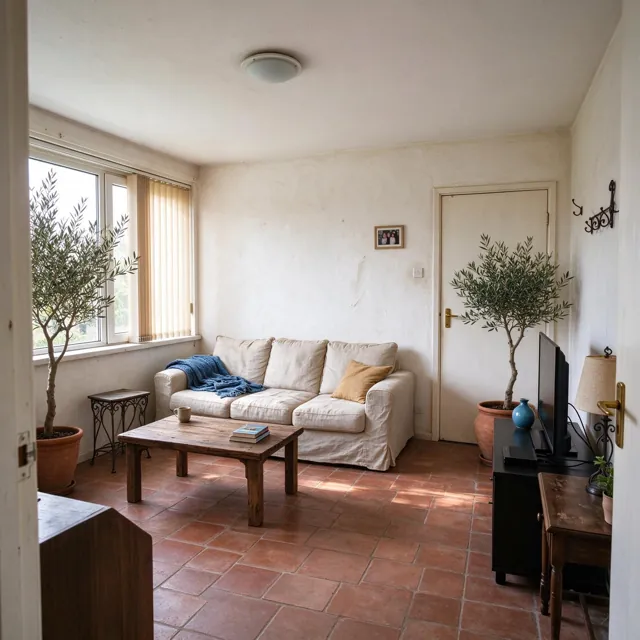
Mediterranean
Limewashed walls, terracotta tiles, linen, wrought iron, olive trees.
Fine-tune every detail
After the style, you can pick any of these. Leave them all empty and the style alone decides.
- Add items
- Plant, Armchair, Rug, Wall art, Bookshelf, Floor lamp, Dining table, Curtains, Cushions, Wall shelves, or a photo of your own piece
- Revise furniture
- Wood finish: Paint white, Paint black, Light oak, Walnut; Sofa color: Beige, Sage, Navy, Terracotta, Charcoal, Mustard; Tidy up: Declutter, Replace old furniture, Empty the room
- Walls
- Wall color: Warm white, Greige, Sage, Terracotta, Blush, Sky blue, Navy, Charcoal; Wall finish: Smooth paint, Wallpaper, Wood panels, Exposed brick, Limewash, Wall molding
- Floor
- Oak parquet, Light wood, Herringbone, Marble, Polished concrete, Carpet, Terrazzo
- Lighting
- Mood: Daylight, Golden hour, Cozy evening, Candlelight; Fixtures: Chandelier, Pendant light, Hidden LED, Spotlights, Wall sconces
A home project, not a one-off picture
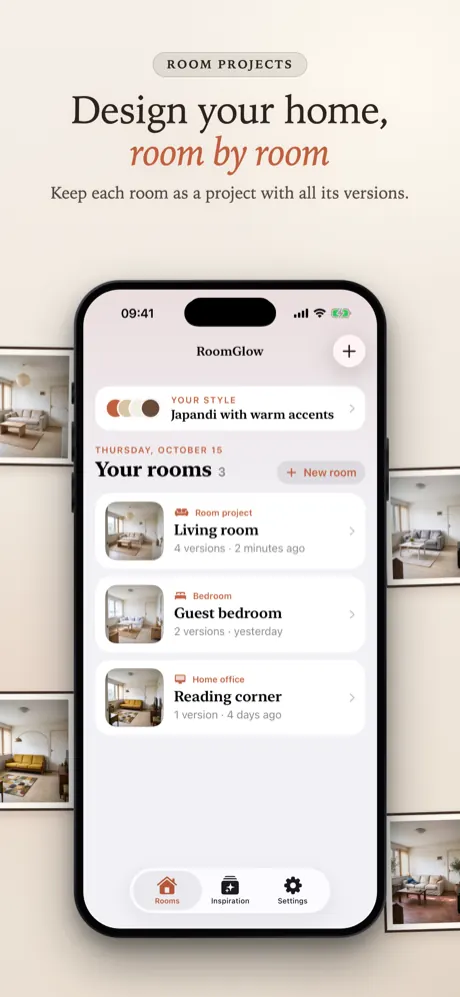
- Room projects: every room keeps its photos and all its designs in one place.
- Version timeline: each design is dated with its style and changes; open any version, compare it with the original, or design again with the same picks.
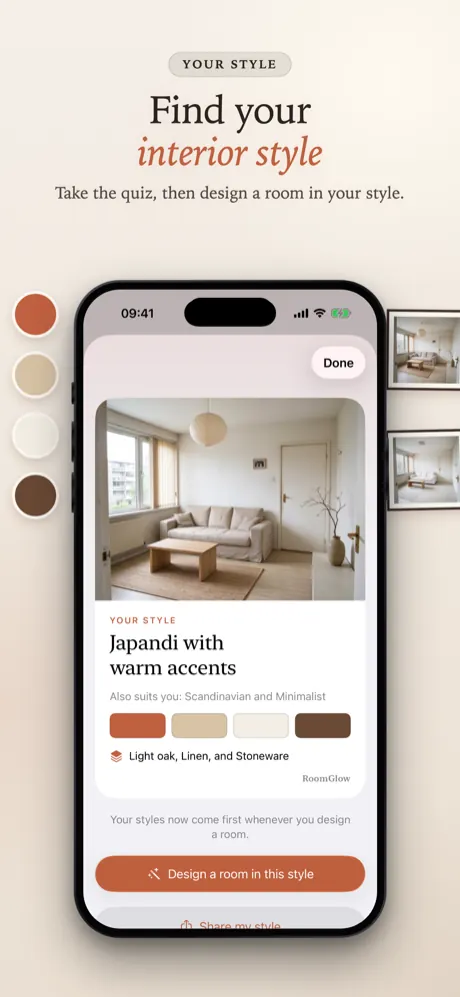
- Style quiz: 5 visual questions find your style, for example “Japandi with warm accents”, with runner-up styles and signature materials.
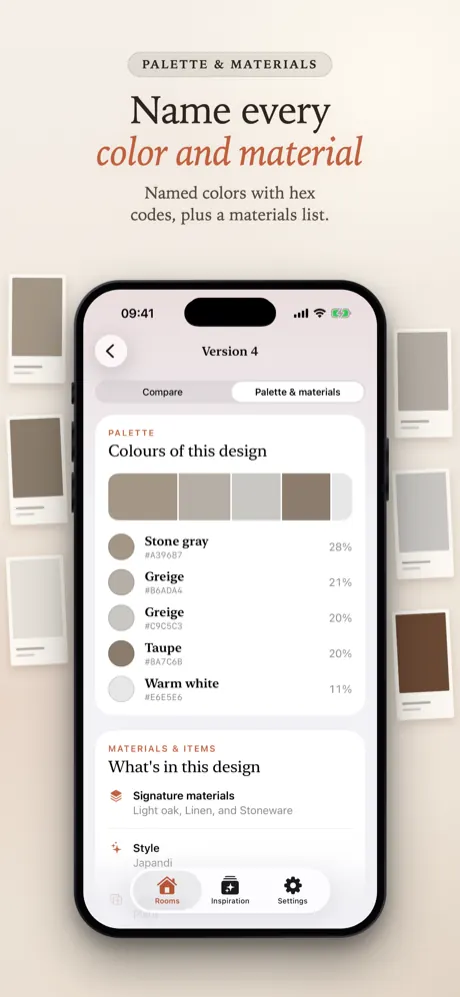
- Palette & materials: the main colors of every design, named in interior terms with hex codes and percentages, plus a materials list. Colors are analyzed on your iPhone.
- Inspiration: browse styles and pieces and try one in any of your rooms.
- Reveal video (Pro Video): a short clip that turns the original room into the new design.
- iCloud sync: rooms, photos and versions follow you to your other devices.
At a glance
- Device
- iPhone, iOS 17 or later
- Room types
- Living room, Bedroom, Kitchen, Dining room, Home office, Kids' room, Bathroom, Entryway, or any other space
- Styles
- 12 interior styles
- What stays
- walls, windows, doors, ceiling and camera angle; furniture stays in place unless you choose to replace it or empty the room
- Internet
- needed to create designs and videos; your rooms and versions open offline
- Price
- free download; creating designs needs RoomGlow Pro (weekly or yearly)
- Account
- no sign-up; sync uses your own iCloud
- Languages
- English, Turkish, German, French, Spanish, Brazilian Portuguese, Japanese, Korean, Traditional Chinese
Screenshots
Quick answers
What is RoomGlow?
RoomGlow is an iPhone app that redesigns a photo of your own room with AI in one of 12 interior styles. Each room is kept as a project with a timeline of design versions, and every version gets a color palette and a materials list.
Is RoomGlow free?
The download is free and there are no ads, but creating designs requires a subscription. RoomGlow Pro (weekly or yearly) includes a daily creation allowance shown in the app; Pro Video adds reveal videos with a weekly allowance. In the US, Pro is $6.99 a week or $39.99 a year, and Pro Video is $12.99 a week or $99.99 a year; the App Store shows your local price.
What happens to my room photo?
Your photo is stored on your iPhone and, if iCloud is on, in your private iCloud. It is sent to the AI provider kie.ai only when you create a design, together with a text description of your choices; the uploaded file is kept there only temporarily (about a day) to make the image. Saving in HD sends the design to fal.ai for upscaling. RoomGlow has no image servers of its own and keeps no copies. Details: privacy policy.
Does RoomGlow keep my furniture?
Yes, by default. The app asks the AI to keep every piece of furniture in the same place, as the same type and at roughly the same size, and to change only finishes, colors, fabrics and small decor. Only the Replace old furniture and Empty the room options change the furniture itself. AI results can vary, so treat a design as an idea.
All questions →
Start with the room you have
One photo, one style, and you can see it before you paint a single wall.
Coming soon to the App Store